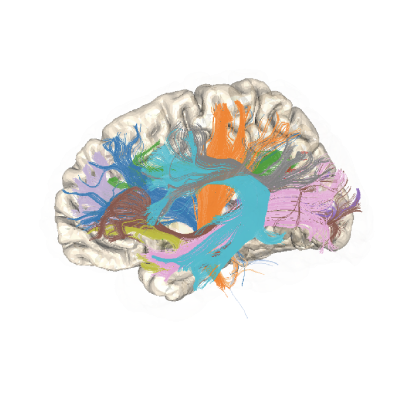
Exporting pyAFQ Results#
This example shows how to use the export methods to obtain results from
the ParticipantAFQ object. The export methods are used to calculate
derived quantities from the data, such as DKI parameters, tract profiles,
and bundle segmentations.
import os
import os.path as op
import plotly

from AFQ.api.participant import ParticipantAFQ
import AFQ.data.fetch as afd
import AFQ.definitions.image as afm
/opt/hostedtoolcache/Python/3.13.13/x64/lib/python3.13/site-packages/tqdm/auto.py:21: TqdmWarning: IProgress not found. Please update jupyter and ipywidgets. See https://ipywidgets.readthedocs.io/en/stable/user_install.html
  from .autonotebook import tqdm as notebook_tqdm
2026-05-26 23:02:20,082 INFO util.py:154 -- Missing packages: ['ipywidgets']. Run `pip install -U ipywidgets`, then restart the notebook server for rich notebook output.
Preparing the ParticipantAFQ object#
In this example, we will create a ParticipantAFQ object based on the
:doc:plot_002_participant_afq_api example. Please refer to that
example for a detailed description of the parameters.
afd.fetch_hbn_preproc(["NDARAA948VFH"])

sub_dir = op.join(afd.afq_home, "HBN", "derivatives", "qsiprep",
                   "sub-NDARAA948VFH")
dwi_data_file = op.join(sub_dir, "ses-HBNsiteRU", "dwi", (
    "sub-NDARAA948VFH_"
    "ses-HBNsiteRU_"
    "acq-64dir_space-T1w_desc-preproc_dwi.nii.gz"))
bval_file = op.join(sub_dir, "ses-HBNsiteRU", "dwi", (
    "sub-NDARAA948VFH_"
    "ses-HBNsiteRU_"
    "acq-64dir_space-T1w_desc-preproc_dwi.bval"))
bvec_file = op.join(sub_dir, "ses-HBNsiteRU", "dwi", (
    "sub-NDARAA948VFH_"
    "ses-HBNsiteRU_"
    "acq-64dir_space-T1w_desc-preproc_dwi.bvec"))
t1_file = op.join(sub_dir, "anat",
                  "sub-NDARAA948VFH_desc-preproc_T1w.nii.gz")

output_dir = op.join(afd.afq_home, "HBN",
                     "derivatives", "afq", "sub-NDARAA948VFH",
                     "ses-HBNsiteRU", "dwi")
os.makedirs(output_dir, exist_ok=True)

pve = afm.PVEImages(
    afm.ImageFile(
        path=op.join(sub_dir, "anat",
                     "sub-NDARAA948VFH_label-CSF_probseg.nii.gz")),
    afm.ImageFile(
        path=op.join(sub_dir, "anat",
                     "sub-NDARAA948VFH_label-GM_probseg.nii.gz")),
    afm.ImageFile(
        path=op.join(sub_dir, "anat",
                     "sub-NDARAA948VFH_label-WM_probseg.nii.gz")))

# Initialize the ParticipantAFQ object
myafq = ParticipantAFQ(
    dwi_data_file=dwi_data_file,
    bval_file=bval_file,
    bvec_file=bvec_file,
    t1_file=t1_file,
    output_dir=output_dir,
    pve=pve,
    tracking_params={
        "n_seeds": 10000,
        "random_seeds": True,
        "rng_seed": 2022,
        "trx": True
    },
)
The Export Method#
The ParticipantAFQ object has a method called export, which allows the user
to calculate various derived quantities from the data.
The export method can be called with a string argument that specifies the
type of quantity to be calculated. For example, myafq.export("OPTIONS").
To list the available options, you can call the export method with the
argument “help”. This will return a list of all the available options for
the export method.
myafq.export("help")
Here is a list of valid attributes to export: dict_keys(['dwi_data_file', 'bval_file', 'bvec_file', 't1_file', 'output_dir', 'best_scalar', 'base_fname', 'pve_csf', 'pve_gm', 'pve_wm', 'n_threads', 'low_mem', 'numba_n_threads', 'low_memory', 'onnx_kwargs', 'onnx_execution_provider', 'onnx_inter_threads', 'synthseg_model', 'mx_model', 't1w_brain_mask', 'brain_mask_definition', 't1_masked', 't1_subcortex', 'data', 'gtab', 'dwi', 'dwi_affine', 'min_bval', 'max_bval', 'b0_threshold', 'b0', 't1w_over_b0', 'min_b0_for_r1_approximation', 'masked_b0', 'dti_tf', 'dti_params', 'dti_s0', 'robust_tensor_fitting', 'fwdti_tf', 'fwdti_params', 'dki_tf', 'dki_params', 'dki_s0', 'msdki_tf', 'msdki_params', 'msdki_s0', 'msdki_msd', 'msdki_msk', 'csd_params', 'csd_response', 'csd_sh_order_max', 'csd_lambda_', 'csd_tau', 'csd_fa_thr', 'csd_aodf_params', 'csd_aodf_asi', 'csd_aodf_opm', 'csd_pmap', 'csd_ai', 'gq_params', 'gq_iso', 'gq_sampling_length', 'rumba_params', 'rumba_f_csf', 'rumba_f_gm', 'rumba_f_wm', 'rumba_wm_response', 'rumba_gm_response', 'rumba_csf_response', 'rumba_n_iter', 'opdt_params', 'opdt_gfa', 'opdt_sh_order_max', 'opdt_pmap', 'opdt_ai', 'csa_params', 'csa_gfa', 'csa_sh_order_max', 'csa_pmap', 'csa_ai', 'fwdti_fa', 'fwdti_md', 'fwdti_fwf', 'dti_fa', 'dti_lt0', 'dti_lt1', 'dti_lt2', 'dti_lt3', 'dti_lt4', 'dti_lt5', 'dti_cfa', 'dti_pdd', 'dti_md', 'dti_ga', 'dti_rd', 'dti_ad', 'dki_kt0', 'dki_kt1', 'dki_kt2', 'dki_kt3', 'dki_kt4', 'dki_kt5', 'dki_kt6', 'dki_kt7', 'dki_kt8', 'dki_kt9', 'dki_kt10', 'dki_kt11', 'dki_kt12', 'dki_kt13', 'dki_kt14', 'dki_lt0', 'dki_lt1', 'dki_lt2', 'dki_lt3', 'dki_lt4', 'dki_lt5', 'dki_cfa', 'dki_fa', 'dki_md', 'dki_awf', 'gtol', 'dki_mk', 'dki_kfa', 'dki_cl', 'dki_cp', 'dki_cs', 'dki_ga', 'dki_rd', 'dki_ad', 'dki_rk', 'dki_ak', 'brain_mask', 'bundle_dict', 'reg_template', 'tmpl_name', 'bundle_info', 'reg_template_spec', 'reg_template_space_name', 'wm_gm_interface', 'pve_internal', 'pve', 'msmtcsd_params', 'msmtcsd_gm', 'msmtcsd_csf', 'msmt_sh_order', 'msmt_fa_thr', 'msmt_apm', 'msmt_aodf_params', 'msmt_aodf_asi', 'msmt_aodf_opm', 'msmt_aodf_nufid', 'csd_aodf_nufid', 'b0_warped', 'template_xform', 'rois', 'mapping', 'mapping_definition', 'reg_subject', 'reg_subject_spec', 'bundles', 'segmentation_params', 'indiv_bundles', 'sl_counts', 'bundle_lengths', 'density_maps', 'profiles', 'profile_weights', 'n_points_profile', 'scalar_dict', 'scalars', 'streamlines', 'tracking_params', 'import_tract', 'all_bundles_figure', 'sbv_lims_bundles', 'volume_opacity_bundles', 'n_points_bundles', 'indiv_bundles_figures', 'sbv_lims_indiv', 'volume_opacity_indiv', 'n_points_indiv', 'tract_profile_plots', 'viz_backend', 'viz_backend_spec', 'citations'])
Note
No all options are possible even if they are valid. This will depend on you dataset and pyAFQ API parameters. For example, you cannot calculate DKI model from single shell data. Please refer to :doc:`/howto/tractography_params` for more documentation.
Calculating DTI FA (Diffusion Tensor Imaging Fractional Anisotropy)#
FA can be computed using the DTI model, by explicitly calling
myafq.export("dti_fa"). This triggers the computation of DTI parameters,
and stores the results in the AFQ derivatives directory. In addition, it
calculates the FA from these parameters and stores it in a different file in
the same directory.
Note
The AFQ API computes quantities lazily. This means that DTI parameters are not computed until they are required. This means that the first line below is the one that requires time.
The result of the call to export is the filename of the corresponding FA
files.
FA_fname = myafq.export("dti_fa")
INFO:AFQ:Calculating _desc-brain_mask.nii.gz...
2026-05-26 23:02:26.979299837 [W:onnxruntime:Default, device_discovery.cc:133 GetPciBusId] Skipping pci_bus_id for PCI path at "/sys/devices/LNXSYSTM:00/LNXSYBUS:00/ACPI0004:00/VMBUS:00/5620e0c7-8062-4dce-aeb7-520c7ef76171" because filename "5620e0c7-8062-4dce-aeb7-520c7ef76171" did not match expected pattern of [0-9a-f]+:[0-9a-f]+:[0-9a-f]+[.][0-9a-f]+
INFO:AFQ:Calculating _model-synthseg2_probseg.nii.gz...
INFO:AFQ:Running synthseg2...
Recognizing the bundles and calculating tract profiles:#
Typically, users of pyAFQ are interested in calculating not only an overall
map of the FA, but also the major white matter pathways (or bundles) and
tract profiles of tissue properties along their length. To trigger the
pyAFQ pipeline that calculates the profiles, users can call the
export("profiles") method:
Note
Running the code below triggers the full pipeline of operations leading to the computation of the tract profiles. Therefore, it takes a little while to run (about 40 minutes, typically).
myafq.export("profiles")
Visualizing the bundles and calculating tract profiles:#
The pyAFQ API provides several ways to visualize bundles and profiles.
First, we will run a function that exports an html file that contains an interactive visualization of the bundles that are segmented.
Note
By default we resample a 100 points within a bundle, however to reduce processing time we will only resample 50 points.
Once it is done running, it should pop a browser window open and let you interact with the bundles.
Note
You can hide or show a bundle by clicking the legend, or select a single bundle by double clicking the legend. The interactive visualization will also all you to pan, zoom, and rotate.
bundle_html = myafq.export("all_bundles_figure")
plotly.io.show(bundle_html[0])
The Export All Method#
There is a export_all method that will export all the results from the
AFQ pipeline. Undeerneath the hood, export_all calls a series of export
methods. This method was added for convenience, and is the recommended method
to use when you want to export everything the results from the AFQ pipeline.
This method will export the following results, if possible:
Transformation maps and files
Start and PVE mask images, associated diffusion scalar files
Tractography, segmented tractography in to bundles
Tract profiles, streamline counts, median tract length
Visuzalizations of the bundles and tract profiles
myafq.export_all()
The Export Up To Method#
The export_up_to method allows you to export results up to a certain
point (but not including) in the AFQ pipeline.
For example, if you want to export all the results up to the bundle
segmentation step, you can call the export_up_to method with the
argument “bundles”. This will export all the required derivatives
prior to the bundle segmentation step, where you can then take the
derivatives and debug your own custom segmentation pipeline.
myafq.export_up_to("bundles")