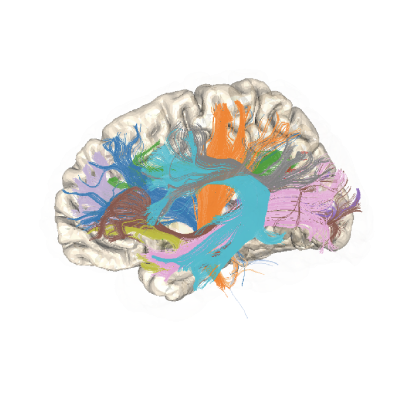
How to use TRX in pyAFQ#
PyAFQ supports the use of the TRX file format. This has several benefits for pyAFQ users:
TRX explicitly stores its spatial reference frame, removing ambiguity and preventing errors that can occur when the spatial reference is implicit or assumed.
TRX supports custom data type precision for representation of streamline coordinates. Based on benchmarking that we conducted [@Kruper2024HCP], we use float16 precision, which helps save space (approximately halving file sizes relative to the float32 precision stored in the trk and tck file formats).
TRX uses memory mapping. This allows pyAFQ to perform batched operations, allowing parallelization of tractography and also allows pyAFQ to operate over massive tractograms with >100M streamlines without commensurate RAM use.
TRX stores groups. This allows for intuitive and robust representation of metadata about the tracts in the same file that stores the streamline coordinates.
Not currently utilized by pyAFQ, but may become part of it in the future is the possibility to also store data-per-streamline and data-per-vertex. This means that we could store attributes of the underlying volumes of tissue properties (e.g., FA or MD) together with the streamline coordinates.
This tutorial will demonstrate how to use the output of pyAFQ processing with the TRX group representation.
To enable use of TRX, the pyAFQ software requires the trx-python library, which implements TRX I/O. If you have pyAFQ, this library is already installed.
We will start by importing its components:
from trx.trx_file_memmap import load
Then, we will load data from a TRX file. If you have previously run other examples that use the HBN dataset you should have a file with this name that you can load:
trx_file = load("./sub-NDARAA948VFH_ses-HBNsiteRU_acq-64dir_desc-bundles_tractography.trx")
We can access the list of tract names in this file using the groups dict
that is stored as an attribute of the trx_file, and specifically the keys
method of this dict:
trx_file.groups.keys()
The contents of each group can be accessed using, for example:
group_trx = trx_file.get_group("Left Anterior Vertical Occipital")
The outcome is another instance of a TrxFile object. Within this object,
we can access the streamlines and their coordinates. For example, to find
what proportion of streamlines were classified into each group:
print(len(group_trx.streamlines) / len(trx_file.streamlines))