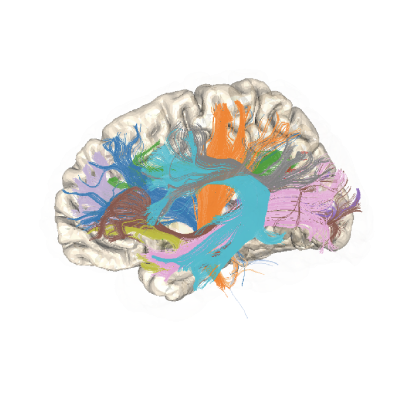
How to add new bundles into pyAFQ (Acoustic Radiations Example)#
pyAFQ is designed to be customizable and extensible. This example shows how you can customize it to define a new bundle based on a definition of waypoint and endpoint ROIs of your design. In this case, we add the acoustic radiations.
We start by importing some of the components that we need for this example and fixing the random seed for reproducibility
import os.path as op
import plotly
import numpy as np

from AFQ.api.group import GroupAFQ
import AFQ.api.bundle_dict as abd
import AFQ.data.fetch as afd
from AFQ.definitions.image import ImageFile, RoiImage
np.random.seed(1234)
Get dMRI data#
We will analyze one subject from the Healthy Brain Network Processed Open
Diffusion Derivatives dataset (HBN-POD2) [1], [2]. We’ll use a fetcher to
get preprocessed dMRI data for one of the >2,000 subjects in that study. The
data gets organized into a BIDS-compatible format in the ~/AFQ_data/HBN
folder:
study_dir = afd.fetch_hbn_preproc(["NDARAA948VFH"])[1]
Define custom BundleDict object#
The BundleDict object holds information about “include” and “exclude” ROIs,
as well as endpoint ROIS, and whether the bundle crosses the midline. In this
case, the ROIs are all defined in the MNI template space that is used as the
default template space in pyAFQ, but, in principle, other template spaces
could be used.
The ROIs for this case can be downloaded using a custom fetcher which saves the ROIs to a folder and creates a dictionary of paths to the ROIs.
ar_rois = afd.read_ar_templates()

path_to_thal_l = ar_rois["AAL_Thal_L"]
path_to_sup_temp_l = ar_rois["AAL_TempSup_L"]
path_to_thal_r = ar_rois["AAL_Thal_R"]
path_to_sup_temp_r = ar_rois["AAL_TempSup_R"]
However, if you have ROIs that you would like to use as start/end ROIs for a bundle, you can provide a file-system path to the files that contain these ROIs. These paths are then provided as inputs to create a bundle dictionary:
bundles = abd.BundleDict({
    "Left Acoustic Radiation": {
        "start": path_to_thal_l,
        "end": path_to_sup_temp_l,
        "cross_midline": False,
    },
    "Right Acoustic Radiation": {
        "start": path_to_thal_r,
        "end": path_to_sup_temp_r,
        "cross_midline": False
    }
})
Define GroupAFQ object#
HBN POD2 have been processed with qsiprep [3]. This means that a brain mask
has already been computer for them. As you can see in other examples, these
data also have a mapping calculated for them, which can also be incorporated
into processing. However, in this case, we will let pyAFQ calculate its own
SyN-based mapping so that the combine_bundle method can be used below to
create a montage visualization.
For tractography, we use CSD-based probabilistic tractography seeding
extensively (n_seeds=4 means 81 seeds per voxel!), but only within the ROIs
and not throughout the white matter. This is controlled by passing
"seed_mask": RoiImage() in the tracking_params dict. The custom bundles
are passed as bundle_info=bundles. The call to my_afq.export_all()
initiates the pipeline.
my_afq = GroupAFQ(
    bids_path=study_dir,
    dwi_preproc_pipeline="qsiprep",
    participant_labels=["NDARAA948VFH"],
    output_dir=op.join(study_dir, "derivatives", "afq_ar"),
    tracking_params={"n_seeds": 4,
                     "random_seeds": False,
                     "directions": "prob",
                     "odf_model": "CSD",
                     "seed_mask": RoiImage(use_endpoints=True)},
    bundle_info=bundles)

my_afq.export_all()
Interactive bundle visualization#
Another way to examine the outputs is to export the individual bundle figures, which show the streamlines, as well as the ROIs used to define the bundle. This is an html file, which contains an interactive figure that can be navigated, zoomed, rotated, etc.
bundle_html = my_afq.export("indiv_bundles_figures")
plotly.io.show(bundle_html["NDARAA948VFH"]["Left Acoustic Radiation"])